Network packet analysis
Packet capture is a lower-layer diagnostic tool, not a default first step. It becomes valuable when application logs and HTTP tooling cannot explain connection establishment, retransmission, reset, DNS, TLS or network-path behavior.
Application symptom → is request-level evidence enough? no → choose interface → capture narrowly → display/filter → follow conversation → correlate TCP/DNS/TLS timing → export minimal pcap evidenceCapture vs display filters and choosing an interface
Wireshark uses different filtering stages: capture filters decide which packets enter the capture; display filters decide which already-captured packets are shown. Display filtering does not remove packets from the capture file.
Practical use: Choose the interface by the traffic path, then use a conservative capture filter when volume/privacy requires it. Use richer display filters during analysis.
Caveat: An overly narrow capture filter cannot be undone after the event; missing packets were never recorded.
Following a TCP conversation: handshakes, retransmissions and resets
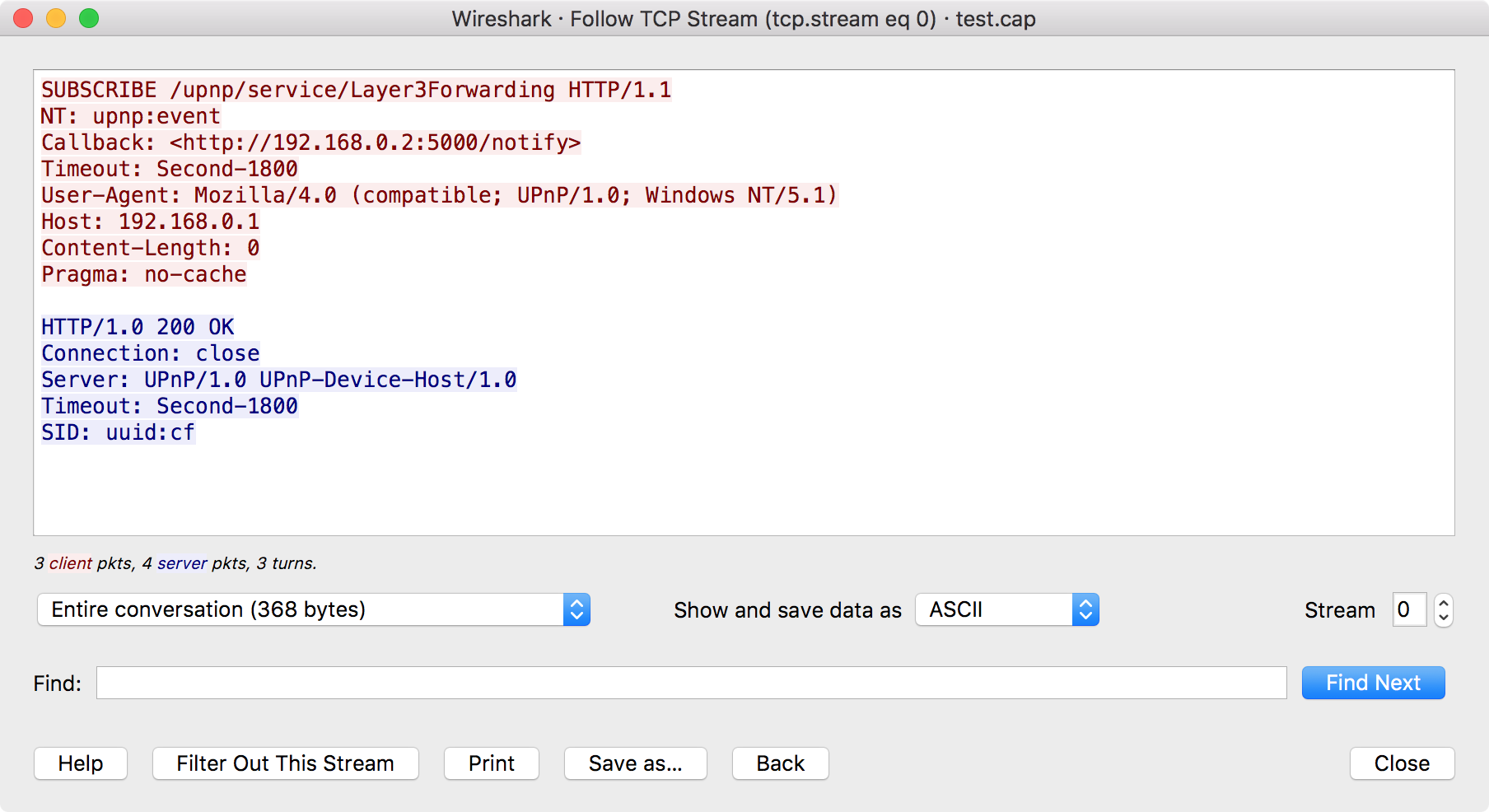
Following a TCP stream isolates packets belonging to a conversation and presents application data in sequence when visible. Packet details can show connection setup, acknowledgements, retransmissions and resets.
Practical use: Correlate stream timing with the application timestamp and endpoint tuple. Use TCP analysis as evidence for transport behavior, not as automatic proof of which component caused it.
Caveat: A retransmission can be a symptom of loss, delay or capture artifacts. Interpret it in context.
DNS and TLS visibility: what you can and cannot see
Packet capture can show DNS queries/responses and TLS handshake metadata, but encrypted application payload is not generally readable without appropriate session keys or controlled decryption setup.
Practical use: Use packet evidence to answer layer-appropriate questions: which name resolved, which endpoint was contacted, whether a handshake completed, and where timing changed.
Caveat: Do not treat encrypted payload as missing evidence that must always be decrypted; encryption is a security control and often the correct boundary.
Narrowing a capture and exporting evidence
Large packet captures are hard to review and may contain unrelated sensitive traffic. Analysis should narrow by time, endpoints, protocol and conversation, then export only what another engineer needs.
Practical use: Keep the original capture secure when necessary, but attach a minimized filtered capture or screenshots/notes that identify the relevant packet numbers and timestamps.
Caveat: A display filter alone does not sanitize the underlying capture file; exported artifacts must be checked separately.
tshark and tcpdump as scriptable bridges—and when capture is the wrong layer
tshark exposes Wireshark dissection/filtering from the command line, while tcpdump is a compact capture tool common on Unix-like systems. They are useful on servers, containers and automated diagnostic workflows.
Practical use: Capture server-side only when the network layer can answer the question and authorization allows it. Prefer application logs/metrics when they provide the needed semantic context more directly.
Caveat: Packet capture is expensive evidence for a pure business-rule defect. Use the highest semantic layer that can answer the question reliably.
Summary
- This chapter covers 5 required concepts while keeping tool/formula details tied to a practical decision.
- Definitions, scope, assumptions and caveats matter more than a number or a tool name by itself.
- Claims that depend on a standard or product are grounded in the source registry below.