HTTP & API request tools
HTTP clients let you remove the UI and exercise a service contract directly. The core skill is understanding the request—method, URL, headers, authentication, cookies and body—so the same evidence can move between tools.
Contract/question → construct request → send → inspect status/headers/body/timing → assert or compare → export reproducible artifact → run in another environment/toolcurl fundamentals: building a request from scratch
curl is a command-line transfer client that makes the request explicit and portable. For HTTP testing, the essential pieces are the URL, method, headers, body, authentication and TLS behavior.
Practical use: Build incrementally: start with the URL, add -i or verbose diagnostics when needed, then add headers/body/auth. Save secrets in environment variables instead of shell history.
Caveat: Copying a browser-generated curl command is useful for reproduction, but simplify it: browsers often add many headers irrelevant to the failure.
curl -i -H 'Accept: application/json' "$BASE_URL/api/items/42"Postman: collections, environments and variables
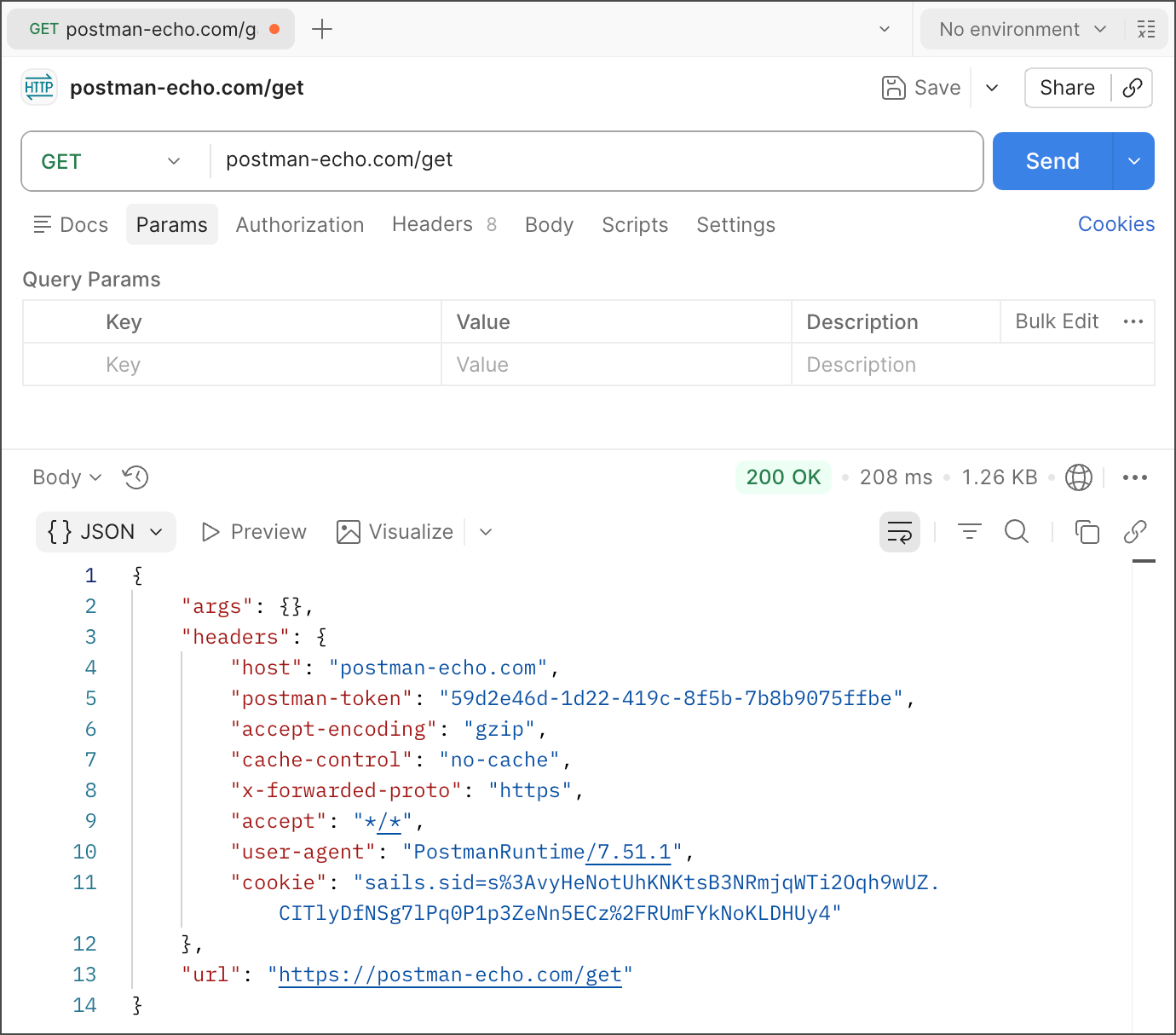
Postman collections group requests and scripts; environments group variable values for contexts such as local, stage and production. The request should remain understandable without hiding critical behavior inside GUI state.
Practical use: Keep base URLs and non-secret configuration in scoped variables. Use secure/vault mechanisms for credentials, and name environments so accidental production execution is hard.
Caveat: Shared environment values can expose secrets if handled carelessly. Postman recommends Vault for sensitive values; treat exports and public workspaces as publishable artifacts.
Postman: auth, cookies, multipart and scripted assertions
A GUI client is valuable for constructing less trivial requests: auth schemes, cookies, multipart uploads, pre-request setup and response assertions. The tester still needs to understand the HTTP representation that the tool generates.
Practical use: Inspect the outgoing request and generated headers when debugging. Keep assertions focused on contract-relevant behavior rather than brittle full-body equality unless exact equality is the requirement.
Caveat: Pre-request scripts can make a collection powerful but opaque. Keep side effects and dynamic data creation obvious to the reader.
Bruno: file-based, Git-friendly API collections
Bruno stores collections as files and is designed for version-control workflows. That makes request changes reviewable beside application code and reduces dependence on a cloud workspace for the collection itself.
Practical use: Commit safe request definitions and non-secret environment templates. Keep credentials outside Git and verify generated collection files are stable enough for meaningful review.
Caveat: Git-friendly does not mean secret-safe automatically. A token typed into a tracked file is still a leaked token.
Choosing among curl, Postman, Bruno and other HTTP clients
Choose by workflow: curl is excellent for minimal reproducible commands and CI shells; Postman provides rich collaborative GUI workflows; Bruno favors file-based version control. Insomnia or HTTPie may be equally valid if they preserve the same request semantics.
Practical use: Standardize the artifact format your team can review and rerun, not necessarily the desktop application everyone must use.
Caveat: A tool choice becomes a problem when knowledge is trapped in local GUI state and cannot be reproduced elsewhere.
Reproducible request artifacts: import, export and safe sharing
A useful request artifact contains enough information to recreate the call while separating environment-specific values and secrets. Common forms are a curl command, an OpenAPI-derived request, or a version-controlled collection.
Practical use: Before sharing, replace credentials, user identifiers and private hostnames where needed. Verify the artifact in a clean environment or another tool.
Caveat: An exported collection is not evidence of reproducibility until someone else can run it with documented prerequisites.
Summary
- This chapter covers 6 required concepts while keeping tool/formula details tied to a practical decision.
- Definitions, scope, assumptions and caveats matter more than a number or a tool name by itself.
- Claims that depend on a standard or product are grounded in the source registry below.